Trust seals at checkout can reassure a hesitant customer, but a badge cannot make an unsafe payment flow secure. The strongest checkout starts with real safeguards and clear transaction details. Visual reassurance comes after that foundation.
This guide explains what common checkout trust signals mean, which ones deserve priority, where to place them, and how to test them without assuming a universal conversion lift.
Table of contents:
What is a trust seal?
A trust seal is a logo, badge, or short visual statement intended to make a website or payment step feel credible. The term is broad, which is why two badges that look similar can support very different claims.
| Signal | What it can communicate | What it does not prove |
|---|
| HTTPS and valid TLS | Data is encrypted in transit between the browser and server | That every part of the business or website is secure |
| Accepted payment marks | The payment methods a customer can use | That the merchant has a special security certification |
| Third-party certification | A specific claim verified within the issuer’s stated scope | Protection beyond that scope or after the mark expires |
| Privacy, refund, and contact links | How the business handles data, problems, and customer questions | That the policies are fair unless the customer reads them |
| Reviews, awards, and customer logos | Relevant social proof when authentic and current | Technical checkout security |
The distinction matters. A card logo can answer, “Can this customer pay?” A linked certification can answer a narrower question about a verified standard. A homemade padlock may create a feeling, but it provides no independent proof by itself.
Build security before reassurance
Start with the payment flow, not the graphics. Stripe’s integration security guide explains that TLS protects data in transit by encrypting traffic, checking its integrity, and helping the browser communicate with the intended server. Payment pages should use current HTTPS across the whole journey, not only on the final form.
PCI DSS is also a shared responsibility. Stripe is a PCI Level 1 service provider, while a merchant still has responsibilities for its own integration and annual validation. A “PCI compliant” badge should never be added as decoration or used to imply that installing a payment plugin completes every requirement.
WP Full Pay is the product covered on this site, so it provides the practical WordPress example here. Its official listing says sensitive payment data is sent directly to Stripe. That can reduce exposure to raw payment details, but it is not a blanket guarantee of merchant security or compliance.
Merchants can choose an inline form or a Stripe-hosted Checkout flow. The hosted versus on-site checkout guide explains the control, maintenance, customer-linking, and risk tradeoffs. The trust copy on the page should accurately reflect the layout in use.
💡 Honest reassurance: “Payments are processed by Stripe” is a checkable statement. “This checkout is 100% safe” is not.
Use a checkout trust-signal hierarchy
A useful hierarchy puts evidence closest to the decision it supports. It also prevents a row of badges from carrying more weight than the actual transaction details.
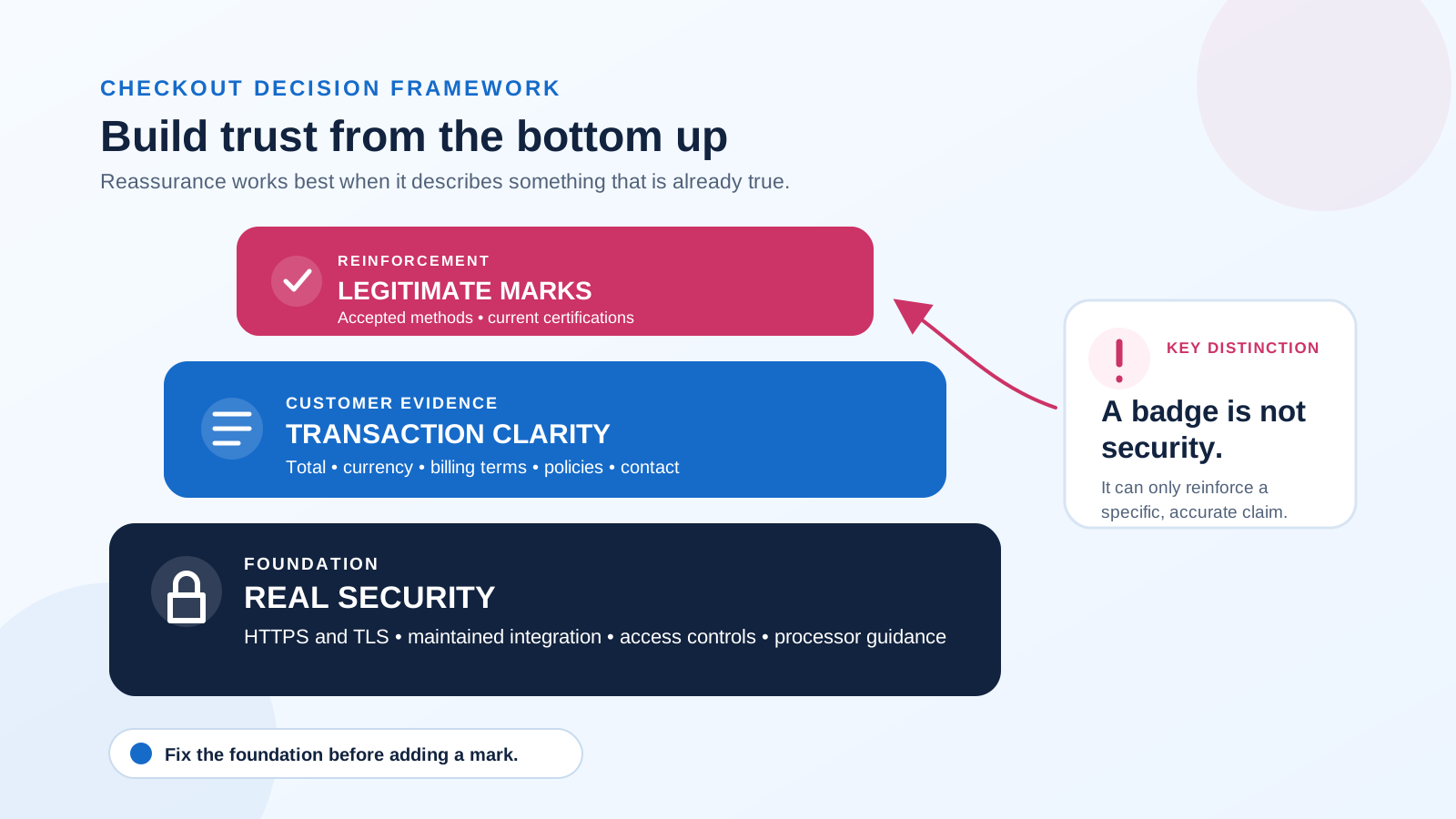 A trust mark can reinforce a checkout, but it cannot replace security or clear terms.
- Real security: Use HTTPS, maintain the WordPress site and payment integration, restrict administrative access, and follow the processor’s security guidance.
- Transaction clarity: Show the amount, currency, billing frequency, taxes or fees, and what happens after payment. Link directly to relevant privacy, refund, cancellation, delivery, and contact information.
- Recognizable reinforcement: Add only legitimate payment marks or certifications that apply to the actual checkout. Keep them subordinate to the offer and payment action.
Stripe’s website checklist recommends HTTPS, clear promotion and trial terms, and displaying the card brands a business accepts. Those signals answer different customer questions, so grouping them under a vague “secure” claim loses useful meaning.
When trust seals help, and when they become clutter
Trust seals can be useful when the business is unfamiliar, the payment request feels high-risk, or the customer needs quick confirmation of the processor or accepted method. Their job is to answer a real question at the point of hesitation.
Baymard’s checkout research separates technical security from perceived security. Its testing found that people can perceive one part of an HTTPS checkout as safer than another based on visual treatment and nearby reassurance. The research supports focused reinforcement around sensitive fields, not a claim that a badge changes the underlying encryption.
CXL’s trust-seal study found an association between familiarity and perceived security. Its own limitations are important: stated preference is not the same as behavior, and recognizing a seal does not prove that it will increase conversions.
More badges are not automatically better. A crowded strip can compete with the price and payment button, look defensive, or introduce marks that customers do not recognize. Remove a badge when its issuer cannot be verified, its scope is unclear, its linked certificate is expired, or it repeats a signal already communicated more clearly.
Place trust seals where questions arise
Placement should follow the customer’s question. Put accepted payment marks near the method choice, processor reassurance near the payment fields or checkout button, and refund or cancellation links beside the relevant terms. Contact information can sit near the final action when a customer may need help before paying.
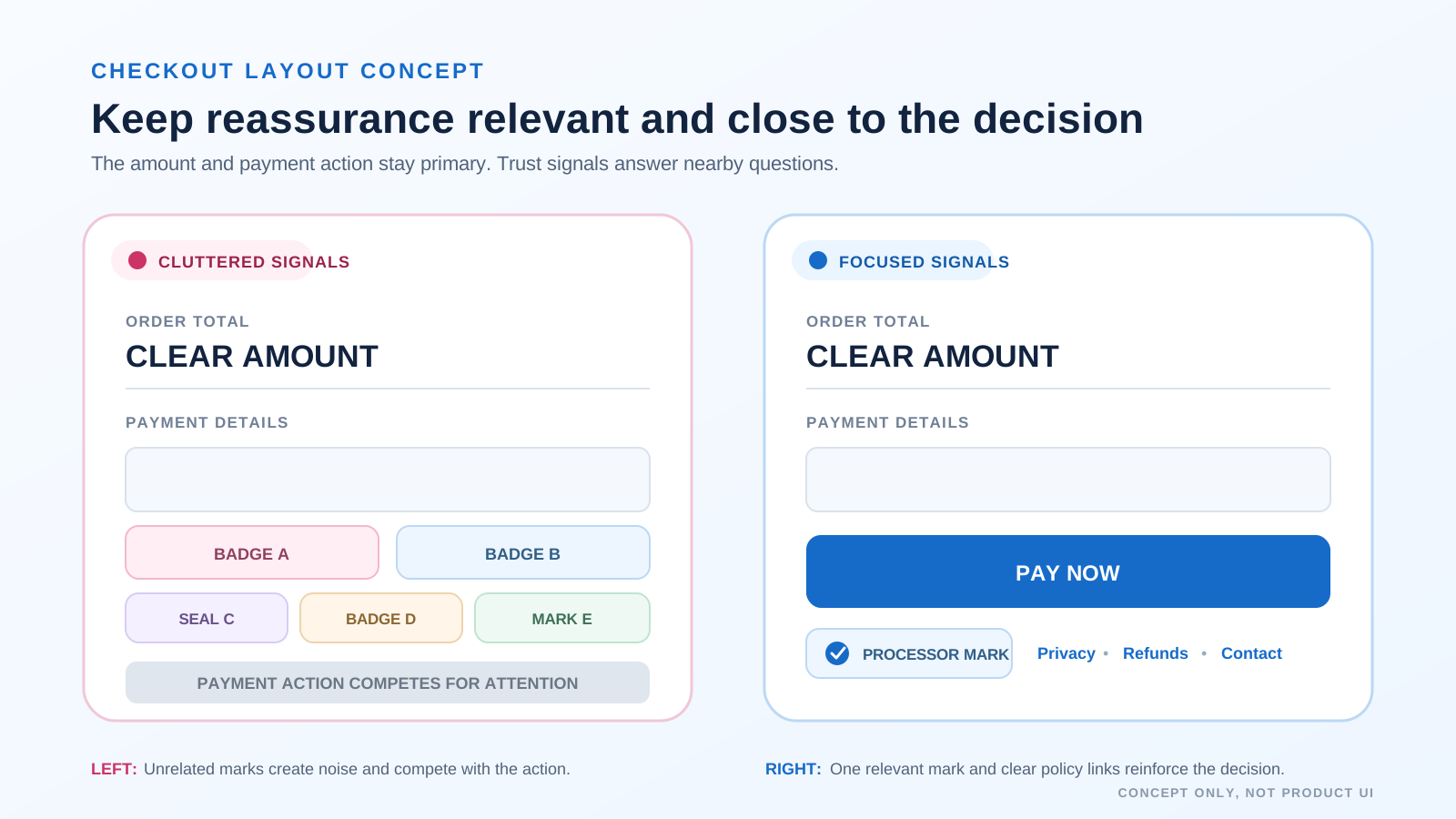 Focused reassurance keeps the amount and payment action primary while answering nearby trust questions.
A homepage badge far from the payment decision may be missed, while a large badge above the total can distract from the offer. Baymard reports that one or two icons inside the visually reinforced payment area can support perceived security. Treat that as a design hypothesis for the site, not a universal recipe.
Check the mobile layout separately. Marks that fit on desktop may shrink into unreadable icons, wrap into a tall block, or push the payment button below the first screen. The checkout should also remain understandable when images do not load, so important policy and payment details must stay in text.
Choose legitimate trust marks
Every displayed mark should pass a simple legitimacy check:
- Authority: Identify who issued the mark and what was actually reviewed.
- Scope: Confirm that the certification applies to the current domain, business, and service.
- Status: Check that membership, certification, or authorization is current.
- Destination: If the badge is clickable, link to the issuer or a verifiable certificate page, not a dead or generic landing page.
- Accuracy: Display only payment methods that the checkout can actually offer to the relevant customer.
- Accessibility: Use concise alt text when the image communicates meaning, and avoid putting essential terms only inside a graphic.
Businesses using Stripe can obtain an official checkout badge from the Stripe newsroom asset page, subject to Stripe’s marks usage agreement. That badge accurately identifies the processor. It should not be rewritten into a guarantee that Stripe or the merchant can prevent every fraud attempt, outage, or data incident.
Support badges with clear checkout copy
Text often answers a customer question more precisely than a symbol. Put the following details within easy reach of the payment action:
- The exact amount, currency, and whether the charge repeats
- Relevant tax, fee, shipping, delivery, trial, renewal, or cancellation terms
- A direct link to the privacy notice and the refund or return policy
- A recognizable contact route for pre-purchase questions
- A factual processor statement, such as “Payments are processed by Stripe”
Do not hide a restrictive policy behind a friendly guarantee icon. The words and linked policy have to match. The wider checkout confidence guide covers other parts of the journey, including form friction and transaction clarity.
Test trust signals instead of copying a percentage
A conversion result from another website cannot predict the effect on a different audience, offer, or checkout. Test the smallest meaningful change on the real flow.
- Define the concern: Use support questions, usability sessions, survey responses, or funnel behavior to identify where confidence breaks.
- Choose one treatment: Compare the current checkout with one focused change, such as clear processor copy plus a legitimate mark near the payment action.
- Protect the fundamentals: Keep the offer, price, traffic allocation, and payment flow consistent while the test runs.
- Measure the full outcome: Track completed payments, payment errors, refunds or cancellations, and relevant support contacts. Segment mobile and desktop if their layouts differ.
- Keep or remove: Retain the treatment only if the evidence supports it and the mark remains accurate, current, accessible, and visually subordinate to checkout.
Run a pre-launch checkout trust audit
Review the real checkout after launch and after any material theme, plugin, processor, or policy change. A badge can stay visible long after the condition behind it has changed.
- Open every checkout step over HTTPS and investigate browser security or mixed-content warnings.
- Confirm that the processor statement and displayed payment methods match the configured flow.
- Check the amount, currency, billing interval, and any trial or renewal terms beside the action.
- Open the privacy, refund, cancellation, delivery, and contact links from the checkout itself.
- Verify each badge with its issuer and remove marks that are expired, irrelevant, or unreadable.
- Complete test transactions on desktop and mobile, then repeat the visual check with a keyboard and with images blocked.
The final rule is simple: make the checkout secure, make the transaction understandable, then use a small number of legitimate trust signals to reinforce what is already true.